Determine Cancellation Reasons in Bulk
You can use Phoenix subscription management tools to analyze subscription cancellations in bulk by cancellation reason. This allows you to understand why subscribers are leaving, identify trends, and improve retention strategies without reviewing subscriptions individually.
Use Cases
Bulk cancellation reason filtering supports several common operational scenarios.
Analyze Customer-Initiated Cancellations
You can identify how many subscribers canceled using the customer cancellation form and evaluate feedback or churn drivers.
Monitor Failed Salvage Attempts
You can track subscribers who exited their subscriptions after exceeding salvage or retry limits.
Improve Retention Strategies
You can use cancellation insights to refine billing recovery flows, messaging, and customer experience.
Review Subscription Cancellations in Bulk
To analyze subscription cancellations by reason:
-
Log in to your Phoenix Dashboard.
-
In the left navigation menu, select Subscription Management.
-
Click the Filter icon at the bottom of the Subscription Management page.
-
Locate the Cancellation Reason field and select the cancellation reason you want to analyze.
-
Click Apply filter.
Phoenix displays the total number of subscriptions that match the selected cancellation reason.
Common Cancellation Reasons
Below are examples of commonly used cancellation reason filters and how they are typically used.
Customer Cancellation Form
Use this option to identify subscribers who voluntarily canceled their subscriptions through the customer-facing cancellation form.
This filter helps you measure intentional churn and analyze customer-driven cancellations.
Retry Limit Exceeded
Use this option to identify subscribers whose subscriptions were canceled after exceeding the maximum number of salvage or retry attempts.
This filter shows subscribers who are no longer active due to repeated payment failures.
Analyze Results
After applying a cancellation reason filter, Phoenix updates the subscription list to show only matching results.
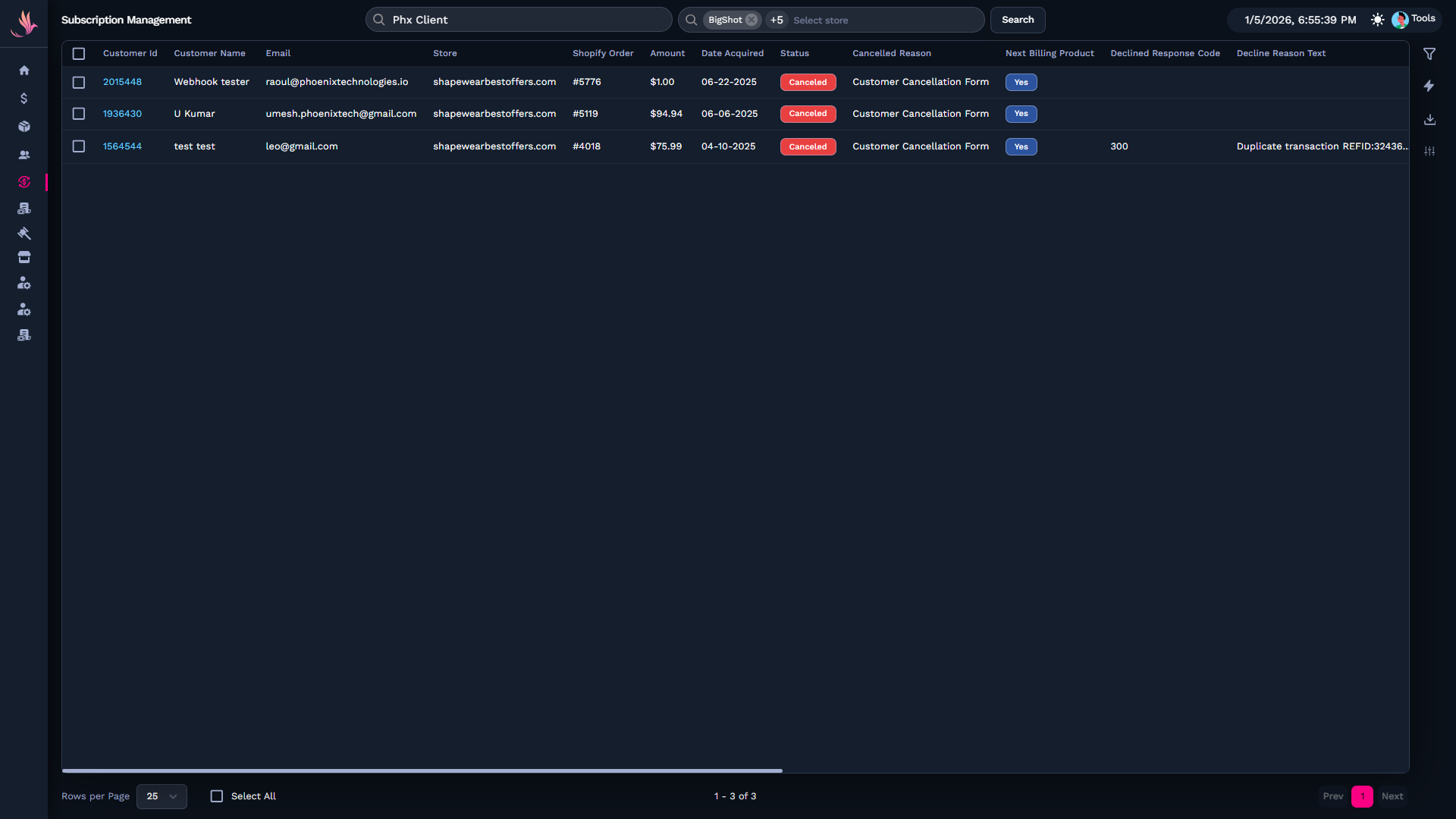
You can use the displayed subscriber count to:
-
Measure the impact of specific cancellation reasons
-
Identify trends in customer behavior
-
Support reporting and retention analysis
Related Guides
If you want to continue managing and analyzing subscriptions, review these guides: